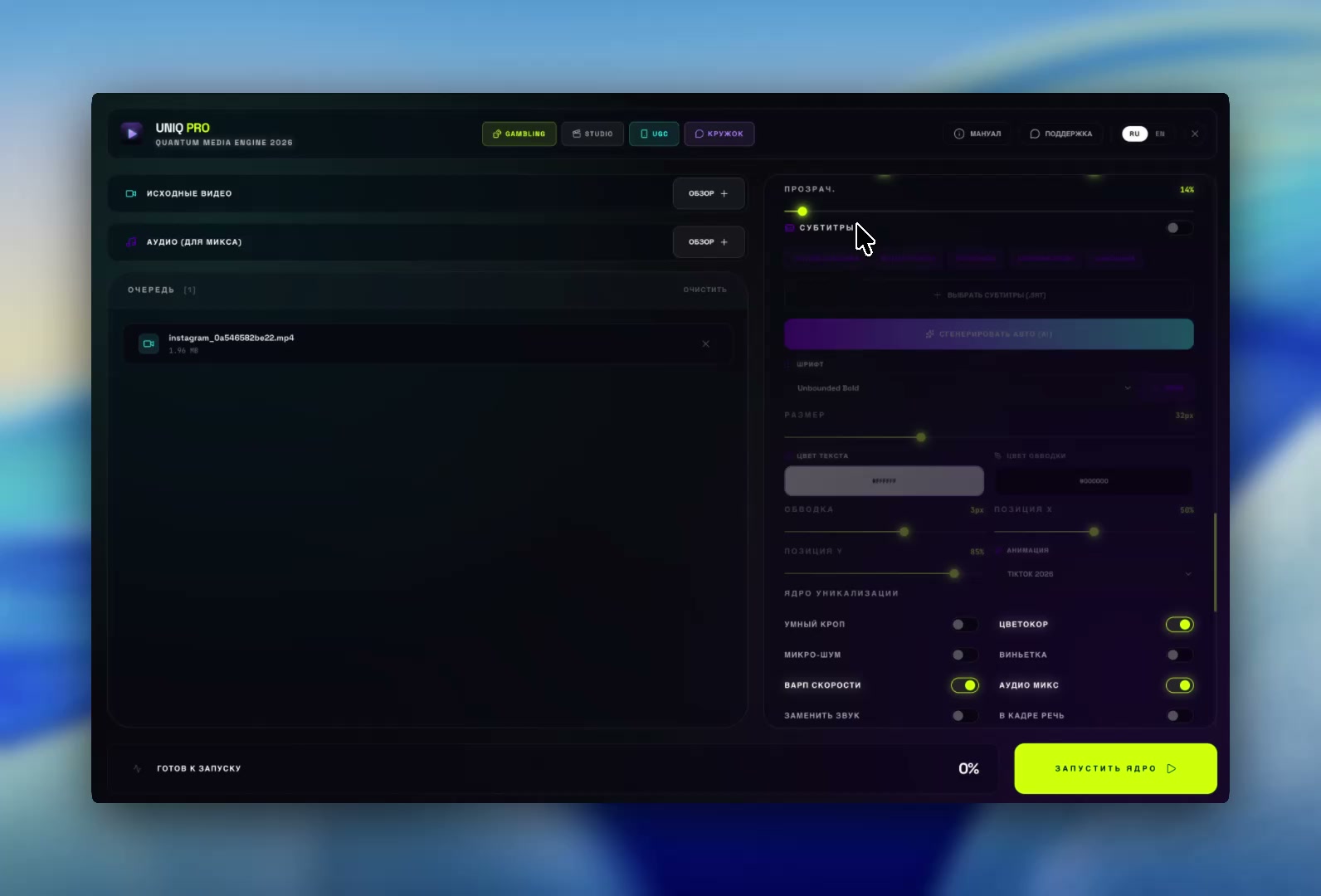
An app for uniquifying videos and ad creatives: dozens of distinct copies from one clip. Change the framing, audio and file passport — and check how different the copies are.
Affiliate marketers and media buyers, free-traffic (UBT) teams, ad agencies, SMM and e-commerce — when one creative needs to become dozens of distinct videos for testing and scaling.
Uniquification through changes.
Results you can measure.
Smart Crop changes the composition. Copy Chain distributes crop regions across the batch. The checker measures differences between the finished files.
01
02
03
A different crop for each copy
Composition makes the difference
Different versions.
The story stays yours.
Set up processing once. UNIQ PRO creates separate files with varied crops and your chosen changes to audio, image and metadata.
Smart CropCopy ChainDifference check
Smart Crop
The main thing that makes a copy different. The frame shifts and trims 9–15% of the picture, changing the composition — which is exactly what perceptual hashes compare. Our check measures 10–13 bits of difference; color and noise give less than 2.
Copy Chain
Separates copies from each other, not just from the original. Crops are planned across the series in advance, each one as far as possible from those already chosen. On a real clip: 10 copies, zero twins on our check.
Audio and speed
Breaks the audio fingerprint that identifies a clip even with new visuals. 2–5% pitch shift, speed warp and notch filters on fingerprint frequencies; in our tests it drops below the threshold from 1.7%. A gentle mode keeps speech natural.
Uniqueness check
Measured, not promised: the app compares every copy with the source and with the other copies and counts twins. You see whether your settings are enough before uploading.
One run.
More possibilities.
Split screen, video on a background, copy passport and AI texts — for any setup.
Split-screen
Two clips in one frame, each half with its own crop — copies diverge more than in the standard mode. Audio comes from either clip.
Copy passport
Every copy looks like a file from a real phone: named IMG_4821.MOV, with its own iPhone model, iOS version, date and geotag that even the Mac Finder shows. No FFmpeg traces. 116 device profiles, Android included.
Different text on every copy
Spintax {option|option} gives every copy its own on-video caption. Long captions wrap automatically and never go off-frame.
Video on a background and circle
The clip sits on an image with rounded corners and a shadow — each copy gets its own background, position and frame size. Or a circle, like a Telegram video message.
AI texts in 5 languages · Pro+
AI watches the clip and writes a unique title, description and hashtags for every copy, plus an on-video caption — in Russian, English, Japanese, Korean or Arabic. Handy for running different GEOs.
Formats and speed
9:16, 1:1 and 4:5, reframing horizontal video to vertical and cutting long videos into clips. The GPU does the encoding — Apple on Mac, NVIDIA and Intel on Windows — and copies render in parallel.
The whole series.
One workspace.
From source videos to a finished batch: the queue, uniquification settings and difference checks in one workspace. Watch the app in action.
● ● ●UNIQ PRO in actionmacOS / Windows
Actual screen recording. Click to start the video.
Try it with your own video.
Choose your scale.
Start with Free. For regular production of larger batches, choose Pro with no watermark or copy limit.
Turning one video into several technically distinct copies: different framing (Smart Crop), audio, file passport and optionally a caption. UNIQ PRO does this for dozens of copies at once and shows how much they differ from each other and from the source.
Is it suitable for media buying and free traffic (UBT)?
Yes: one creative becomes a batch of distinct videos for testing offers and scaling. Use your own or licensed creatives — the app does not guarantee passing moderation or reach.
Does it work for TikTok, Reels and YouTube Shorts?
Yes. Vertical 9:16, 1:1 and 4:5 formats, reframing horizontal video to 9:16 and cutting long videos into clips. Platforms do not publish how they compare videos, so the app measures differences with its own check.
What does it run on, and does it need the internet?
macOS on Apple Silicon (M1 and newer) and Windows. Processing runs on your computer; videos are not uploaded to the cloud. Internet is needed to activate Pro and for AI in Pro+.
Is there an online version or a Telegram bot?
No, by design. UNIQ PRO is an app for Mac and Windows: the video itself is not uploaded to anyone's server, there is no file-size limit, and one run produces dozens of copies with a difference check.
Is there a free version?
Yes, the Free plan with no time limit: the full processing engine, with a watermark and a limit on copies per run. Pro removes both.
How do you uniquify a video in CapCut, and how is UNIQ PRO different?
In CapCut each copy is made by hand: crop the frame, change speed and sound, export — and repeat for every video. UNIQ PRO makes dozens of copies in one run, spreads the framing across the whole series and checks the copies for duplicates.
What does the difference checker show?
Differences from the original, differences between copies, and similar copies in the batch. This is an internal measurement: the 12-bit threshold is not a published TikTok or Instagram threshold.
Is changing metadata enough?
Metadata-only mode copies the video stream without re-encoding it. The image stays the same, so visual checks show zero difference. Use Smart Crop to change the composition.
Does my video go to the cloud?
Core processing runs on your computer. In Pro+, only 4 frames and up to 45 seconds of audio are sent for AI processing. The video file stays with you.
What content is this made for?
Your own or licensed videos. UNIQ PRO creates different file versions, but does not change content rights or guarantee reach or passing platform checks.